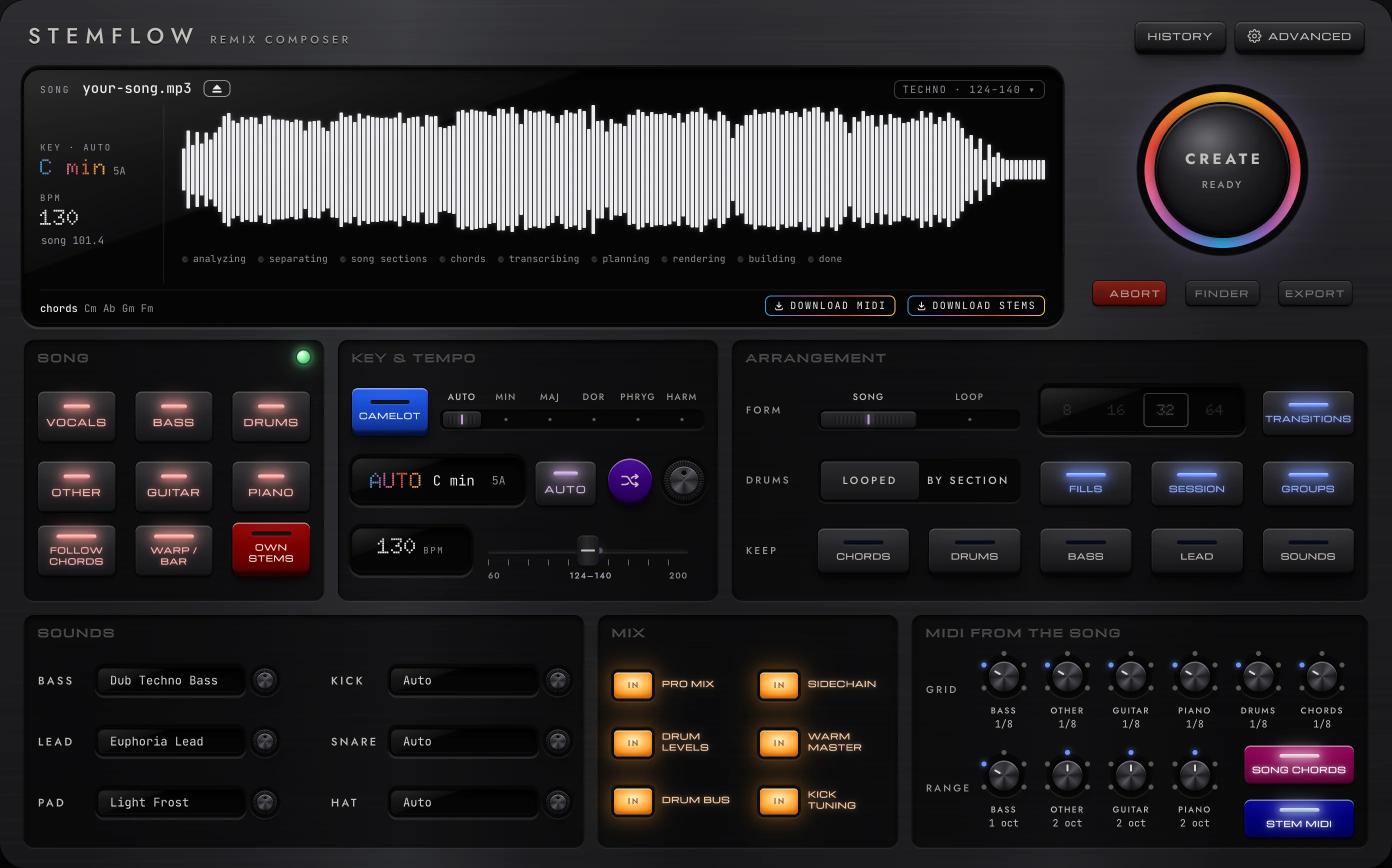
Drop a song. Get a ready-to-play Ableton Live set.
What makes it different
Every stem in its own track, with its MIDI right under it, on Live's grid.
The song's chords on a track; bass, lead and pad play along in its key.
Genre drums built from your own sample library, not stock loops.
Laid out by the song's own sections, mixed, with scenes for Push.
Every note comes from your song, your samples or your choices. The models only listen: they split the song and read its tempo, key, chords, notes and sections. Nothing is generated, and your songs never leave your computer.
New versions: download again and replace the app. Problems? Help → Show Logs in stemflow, and send the logs to whoever invited you. All versions.
The first Windows alpha: it hasn't met many PCs yet, and it separates songs on the CPU for now (slower than a Mac). If something breaks, Help → Show Logs and send them over.